Stop saving. Start knowing.
KnowFlow turns the articles and notes you save into linked knowledge pages — your AI assistant does the organizing, and every page is plain Markdown you own.
npx @jerryjiao/knowflow@latest init my-wikiOne-line install — npm i -g @jerryjiao/knowflow (or let your AI assistant run it)How many “read later” links are sitting in your bookmarks right now?
Saving isn’t learning. Bookmarks solve storing — never remembering, never connecting.
Real screenshot
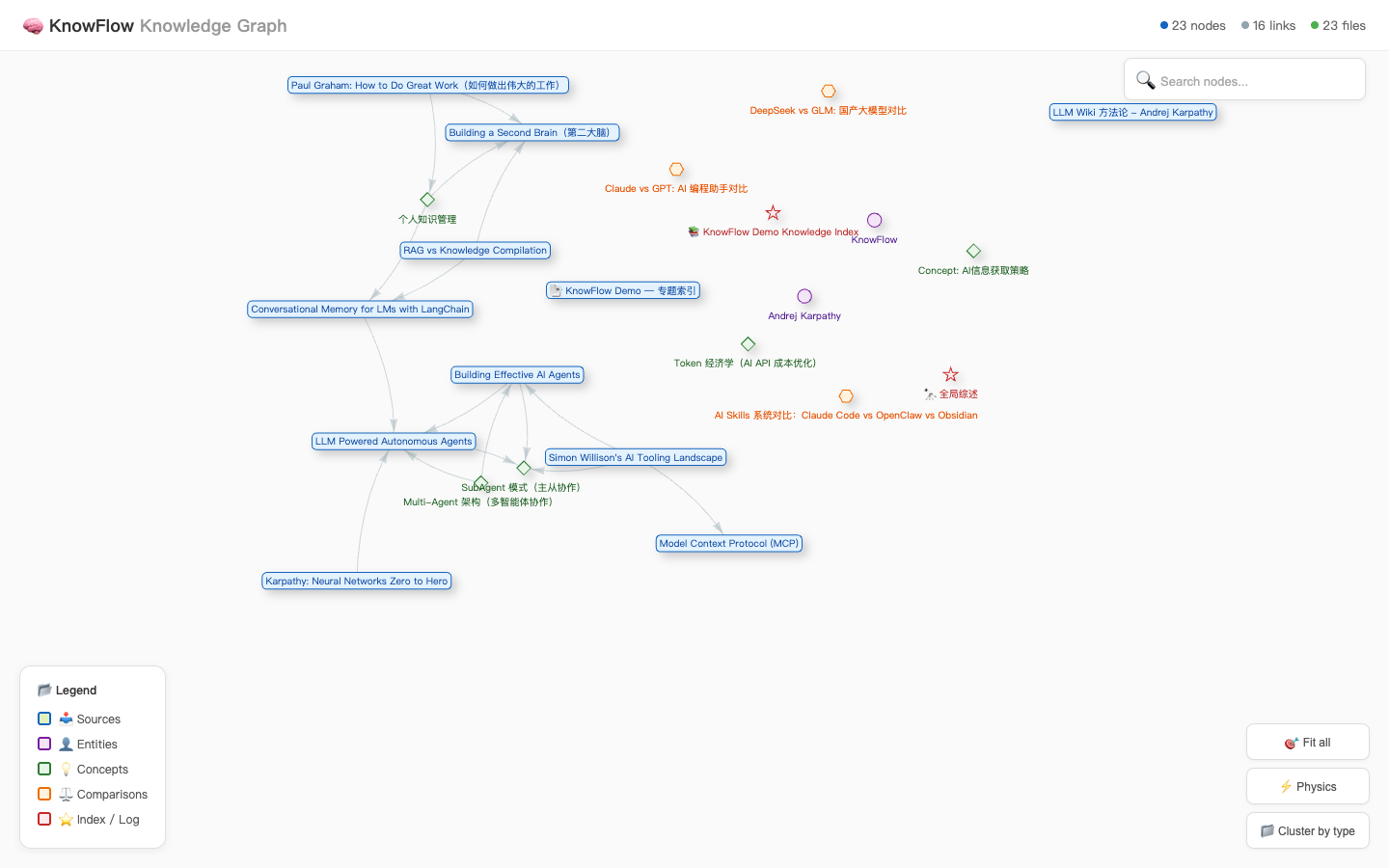
Your saves, grown into a map of what you know
Every page is a Markdown file; the links between them weave this graph automatically — zoom, drag, follow connections.
What is KnowFlow
Three promises
Every page is yours
Your knowledge base is plain Markdown in folders. Pack it up anytime — no lock-in, ever.
An AI assistant does the organizing
Claude, Cursor, or any assistant you trust reads your raw saves, drafts linked pages, and waits for your review.
See how knowledge connects
Linked pages weave themselves into a graph, surfacing connections you never searched for.
How it works
Save, organize, see
Three steps, fully transparent, no black box.
Save
Articles, tweets, and notes land in raw/ exactly as captured.
raw/Organize
Your AI assistant drafts entity, concept, and comparison pages from templates — you review.
wiki/See
One command builds the graph, checks links, and groups by tag.
graph.htmlPeace of mind
The AI organizes. It never decides.
The assistant drafts every page, but it cannot touch your original saves — what you captured stays exactly as captured.
Every change is a visible Markdown edit you can revert, and swapping to a different assistant changes nothing.
Inspired by Andrej Karpathy’s LLM Wiki: knowledge curated into connected pages beats a pile of saved links.
Also included
Thoughtful details
Plain files, no lock-in
Everything is local Markdown — you can open it in Obsidian directly.
Any AI assistant
If it can read and write files, it can run your wiki. Swap anytime.
Knowledge graph
Interactive viewer plus raw graph data you can export anywhere.
Health checks
Broken links, empty pages, and orphans are caught — one command fixes them.
Tag hubs
Tag pages with [[tags]] and topic index pages build themselves.
Semantic search (optional)
Only when you want “find things like this” — off by default.
Start with your next “read later”
Three steps to your first knowledge graph.
npx @jerryjiao/knowflow@latest init my-wiki