
01
You forget what you learned
Due cards are scheduled with spaced repetition; wrong answers go back into the queue and only graduate after consecutive correct ones. The review order is computed from data, not from a feeling.
DeepSeek Harness study plugin
Five coaching skills plus one study desk. Questions, flashcards, the exam-point panorama, and your progress all live in your own project folder.
Requires DSH ≥ 0.2.1-rc.5 and Node 22.19+
What it fixes
Three things happen most often: you forget what you just learned, the material and the practice drift apart, and switching tools loses your progress. The study desk and the five skills are built for exactly these three.
Due cards are scheduled with spaced repetition; wrong answers go back into the queue and only graduate after consecutive correct ones. The review order is computed from data, not from a feeling.
One examples folder produces both questions and flashcards, with lessons, exam points, and progress aligned on the same ids, so editing one place does not break another.
progress.json is a plain text file in your project folder: move machines, back it up, diff it, whatever you like.
What it does
The desk is for looking and drilling: progress, questions, flashcards, the exam-point panorama. The skills are for the session: what to do next, where you are thin, where to loop back.
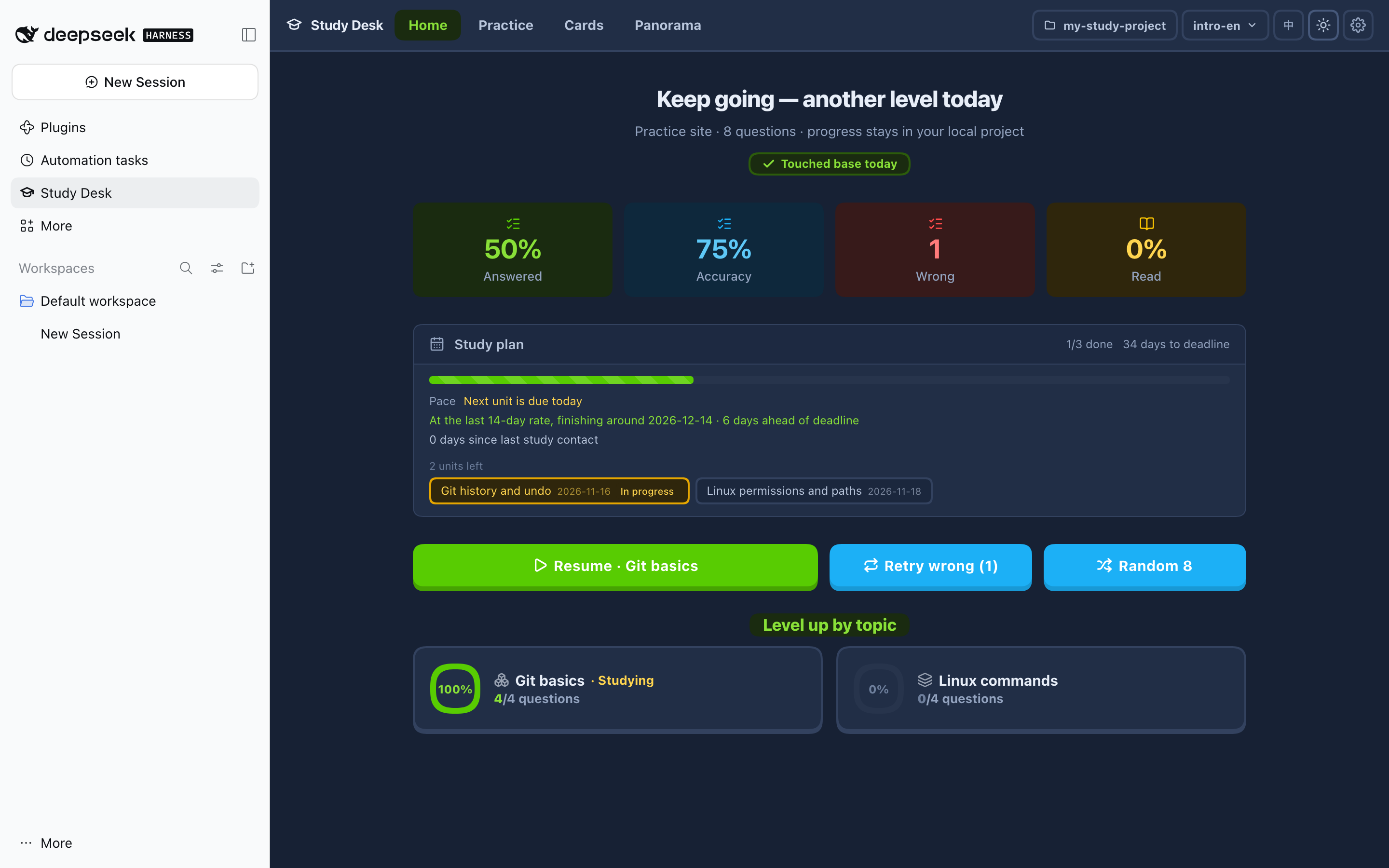
Answered, accuracy, and mistakes on one screen; resume, drill mistakes, and play by topic all start here.
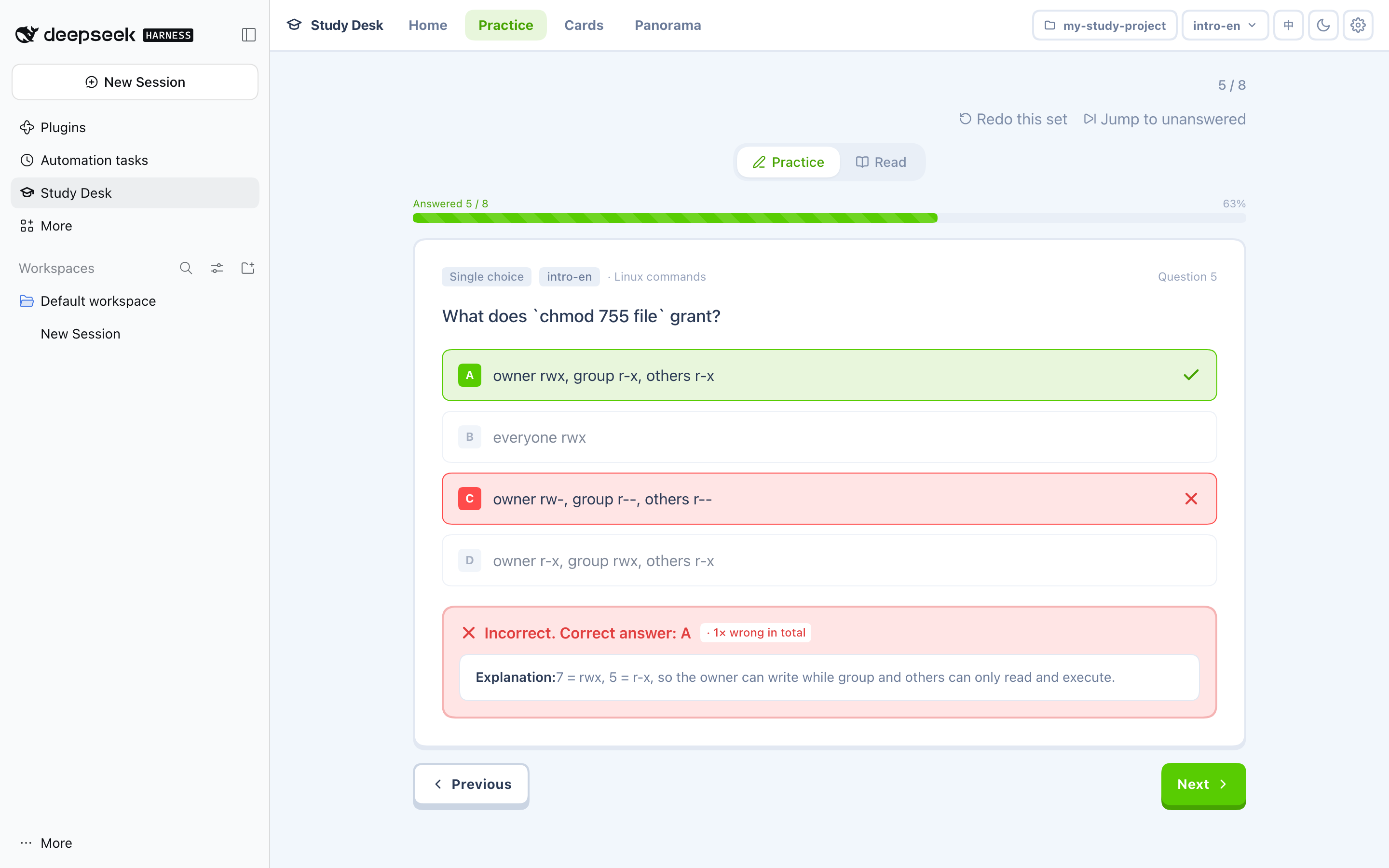
Single-choice, multiple-choice, and true/false are graded on the spot; wrong answers come with an explanation, and a multiple-choice question only counts when every correct option is picked.
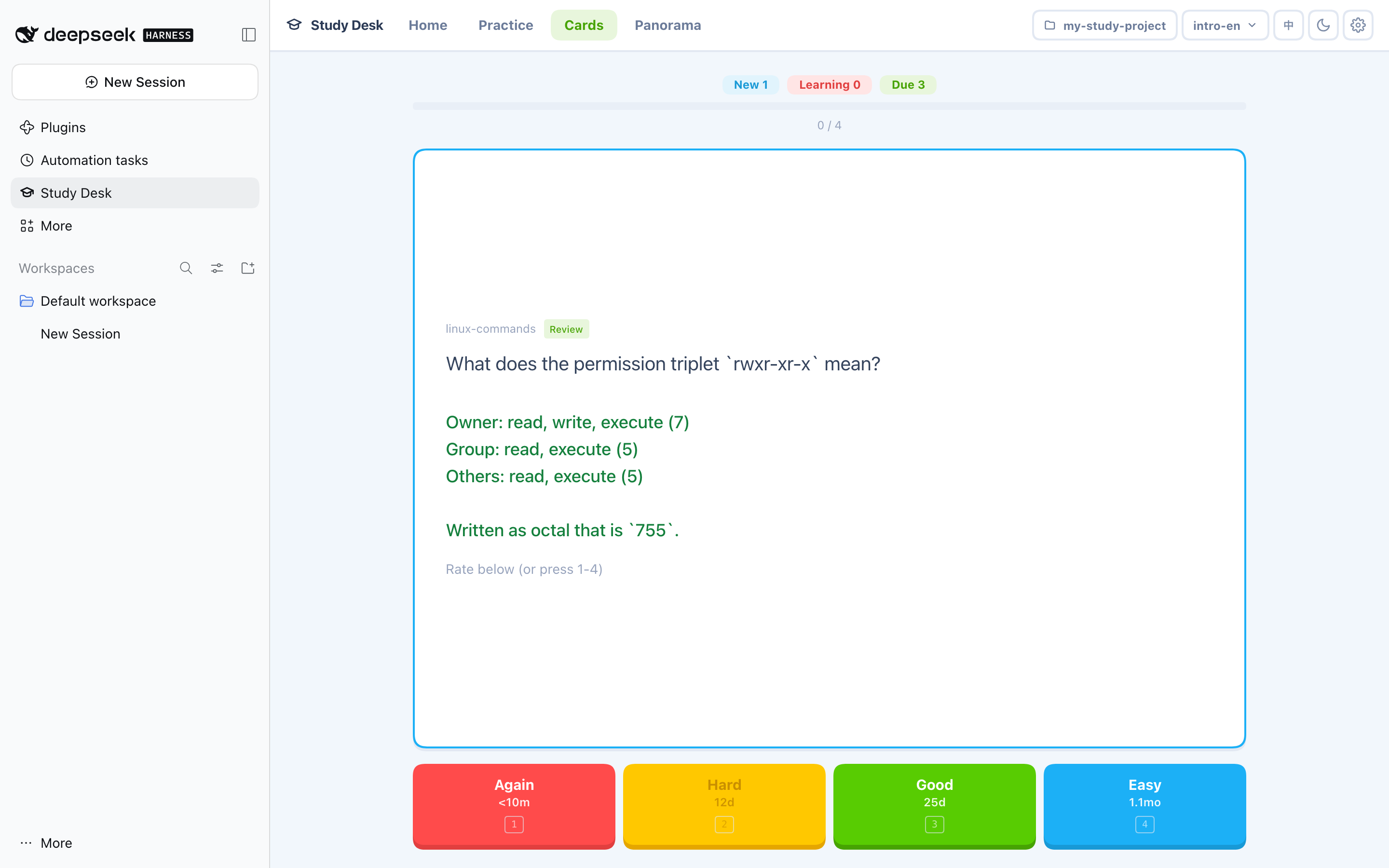
Queued by due date, flip to see the answer, and rating it forgot / fuzzy / remembered decides when the next one comes.
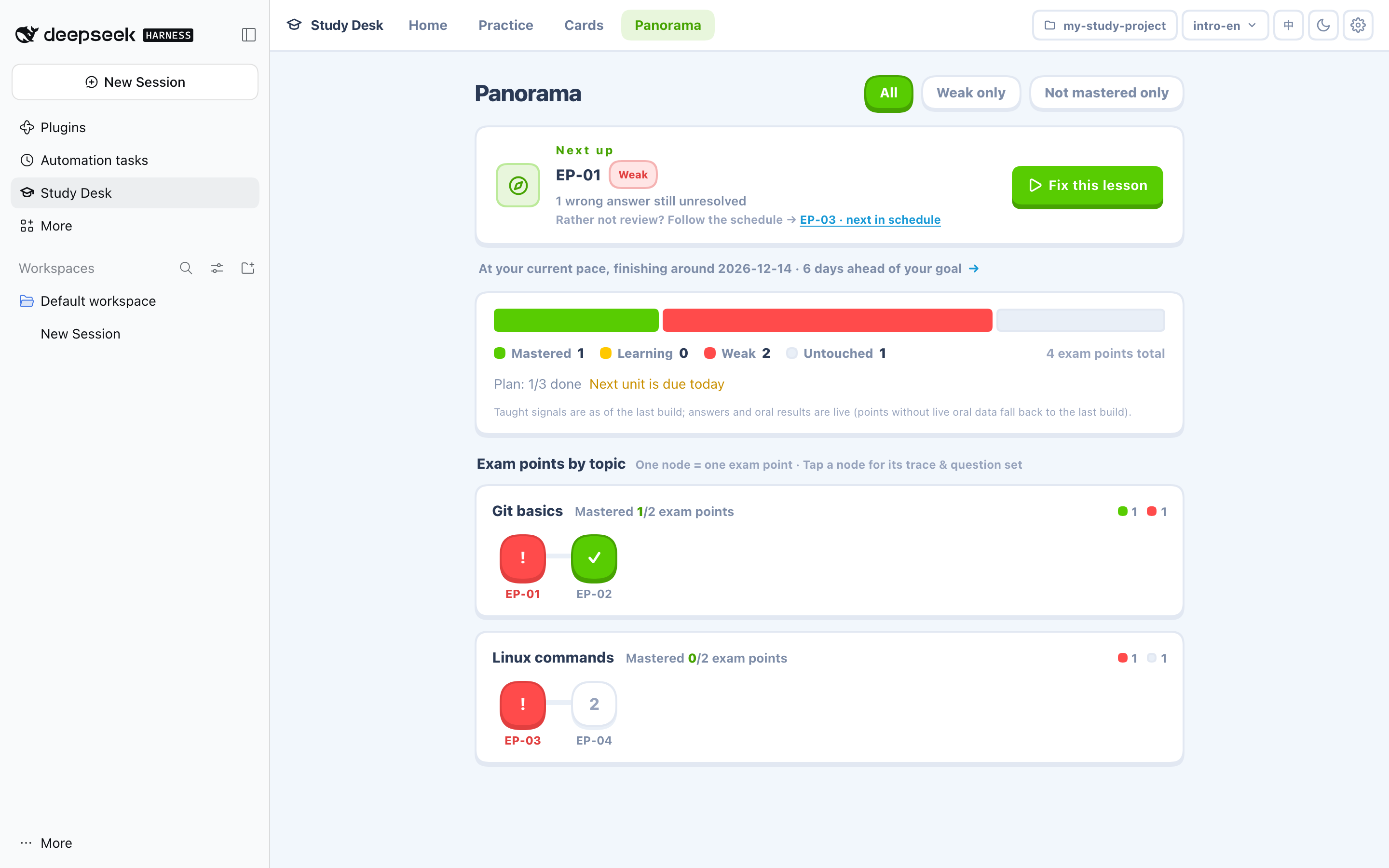
Exam points are colored by mastered / learning / weak / untouched, and the recommended next stop jumps straight to the drill.
/ask-coachScans your progress, mistakes, due cards, and exam date first, then names the single thing to do now and why that one.
/study-coachSit down and study: it opens with what to drill today, teaches in segments, quizzes you right after each one, and loops back when you miss.
/study-doctorChecks the question bank, content alignment, and environment together; if something is red it tells you which one to fix first.
/study-recapTakes a wrong answer from knowing the answer to knowing why it was wrong, then hands it back for a retry.
/study-podcastTurns unmastered lessons or mistake walkthroughs into a two-voice podcast for the commute.
Five minutes
No server to start, no port to configure. Install the plugin, let the coach create a study project, then open the Study Desk in the sidebar.
Run one command in a terminal (swap in your own profile name; web is the common one). Restart the host afterwards: once the plugin is active, all five skills are registered.
dsh plugin --profile web add dsh-ai-study-kit
Type /ask-coach in a session and tell the coach what you want to learn. It scans your state first, then walks you through creating a study project: the folder only needs examples/ and a progress.json.
/ask-coach I want to learn git
A Study Desk icon appears in the sidebar; open it for questions, flashcards, and the panorama. Check that the project dropdown in the top-right points at the project you just created, and you can start answering.
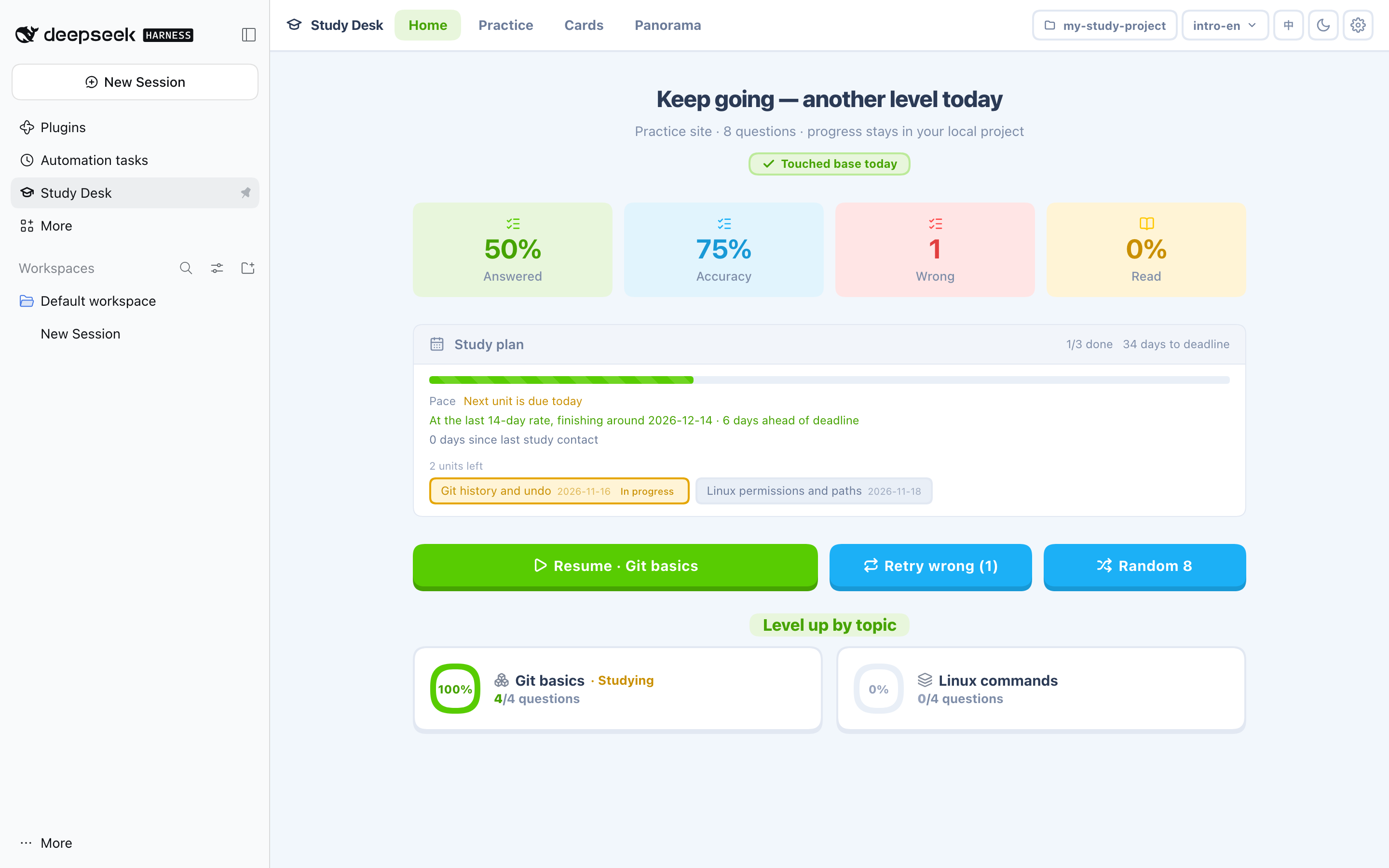
Screenshots
Four pages plus one dark-mode shot. Every screenshot comes from a fictional example study project, with no real user data.
Safety and privacy
The plugin has no account system and no server-side database. It does one thing: read and write the study project folder you selected.
The Study Desk pages and the plugin host only talk over local loopback: no cloud sync, no telemetry, and no account to log into.
progress.json is ordinary JSON: back it up, diff it, commit it to your own git. If it is corrupted the plugin refuses to overwrite it instead of quietly wiping it.
The plugin only touches the study project folder you select. It does not scan elsewhere or touch your notes and other repositories.
Every screenshot on this site comes from a fictional example study project, with no real users, real progress, or personal information.
Architecture
No middle server and no cloud to sync. Pages, channel, host, and project: all four links complete on your machine.
All five skills register into DSH together with the plugin. Type /ask-coach in a session, or just say "I want to learn X", and DSH hands the request to the matching skill. Skills operate on the study project through the read/write abilities the host exposes, and never start background processes of their own.
DSH loads the Study Desk pages directly and the data comes back over local loopback RPC. The old version required starting a web server, remembering a port, and opening a browser; now you install the plugin and restart the host.
The same Study Desk pages and data format moved into DSH, and questions, flashcards, and the panorama are read and written the same way. The standalone quiz-site source still ships in the plugin package for anyone who wants to deploy it separately; day-to-day study no longer needs it.
FAQ
The same Study Desk UI moved into DSH: same pages and data format, except you no longer start a web server yourself. The standalone quiz-site source still ships in the plugin package for anyone who needs a separate deployment.
Browsing, answering, flashcards, and the panorama all work offline, reading and writing only local files. Generating new questions, producing lessons, and making podcasts call a model, and only those steps need network access and your model configuration.
No. The plugin only writes progress.json in the study project root, and study records live in the project study/ folder. Everything else is read-only.
Yes. Questions, flashcards, and progress are ordinary files in your project folder, and the plugin is just the tool that reads and writes them; uninstalling does not delete your study project.